Subnautica 2 Multiplayer: 4-Player Online Co-op
The series finally has co-op. Solo play is still fully supported, but you can bring three friends online for the full game. The quick answer for returning Subnautica fans: online multiplayer is in, invite codes are the universal join flow, and local split-screen or couch co-op is not supported.
Reviewed .
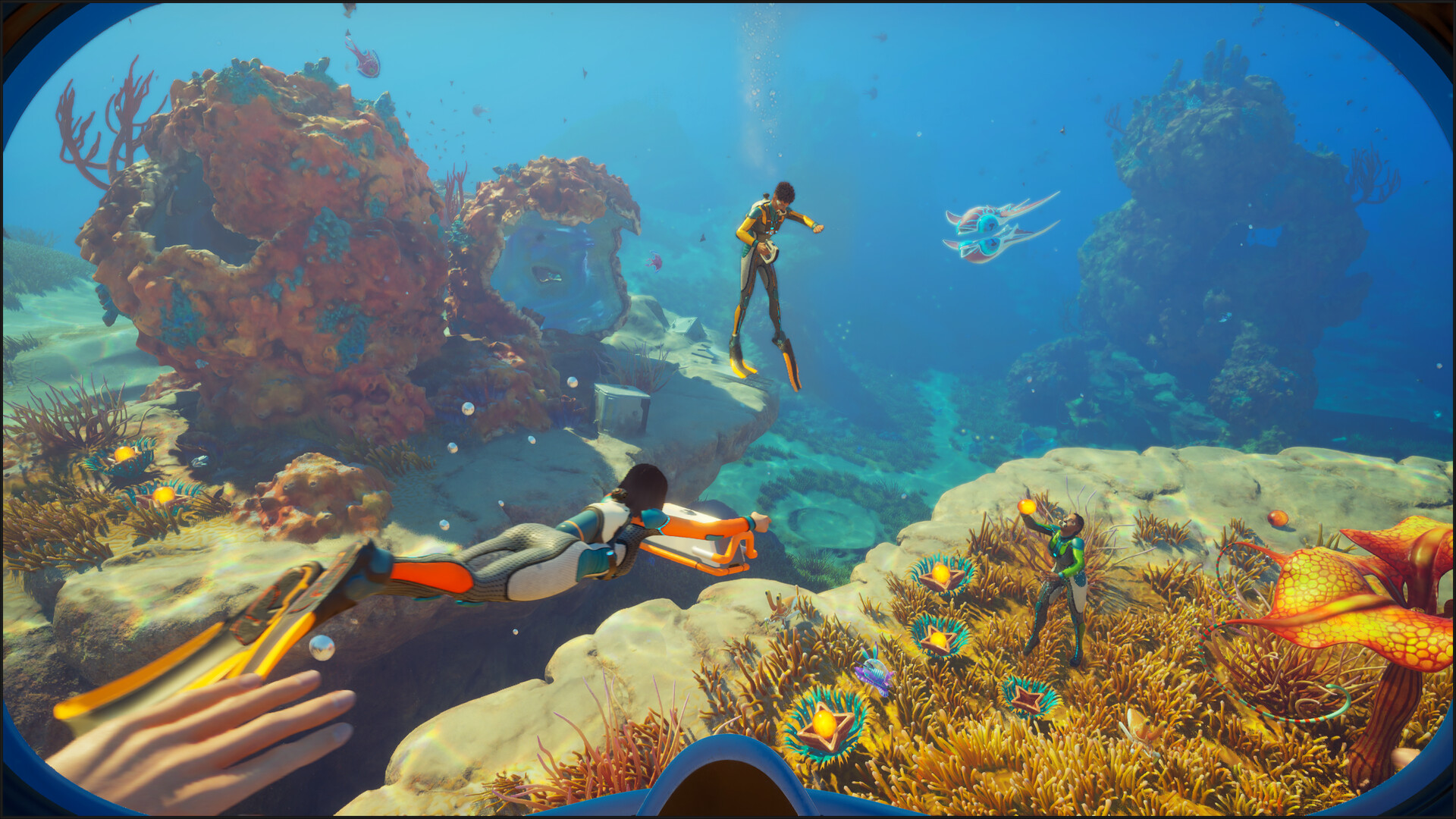
Player cap: how many people can play together?
4 players is the hard cap. Subnautica 2 is built around a host plus three guests.
The cap applies the same way no matter which mix of platforms your group is on. Steam-only, Xbox-only, or a mixed Steam + Xbox + Game Pass group all share the same 4-player ceiling. There is no server-side workaround in the launch build.
If you have a fifth person, the practical pattern is rotation: hold a "bench" player who swaps in for someone who has to drop, rather than running two parallel sessions on the same save.
How to invite a friend: the 6-digit invite code
Subnautica 2 uses a short alphanumeric invite code as the universal join method. It works the same way on Steam, Epic, Xbox, and Game Pass.
- From the main menu, choose Host Game and pick the save slot you want to share.
- Once you spawn into your drop pod, press Escape to open the pause menu.
- Open the Social tab and click Generate Invite Code.
- Send the resulting 6-digit alphanumeric code to your friends through Discord, Steam chat, or any text channel.
- Each friend opens Subnautica 2, selects Join Game, and enters the code to drop into your session.
The same code works across platforms, since matchmaking is unified. Steam, Epic, Xbox Series X|S, Xbox on PC, ROG Xbox Ally, and Game Pass all share one lobby pool.
World sharing and host availability
Launch-week note: Subnautica 2 supports shared co-op worlds, so a group can plan around one player being unavailable.
For practical play, decide who should keep access before the original host signs off. Do not assume the session will automatically continue if the active host disconnects unexpectedly.
How it works: exact menu labels can shift during Early Access. Check the current patch notes or in-game world sharing UI before writing a step-by-step host-transfer guide.
How the networking actually works
A few practical implications worth knowing before a co-op session so you do not blame your router for things it cannot control.
- Matchmaking runs on Epic Online Services (EOS). EOS handles the invite code lookup and the cross-platform plumbing. You do not need an Epic Games Store account on Steam or Xbox; EOS works in the background regardless of where you bought the game.
- Gameplay is peer-to-peer. One player hosts the session, the others connect directly to that host. The host\'s connection quality is the floor for everyone in the group, so if you have the fastest line and the most stable router, you should host.
- Strict NAT can block joining. If two players fail to connect, the most common cause is one of them sitting behind a strict (Type 3) NAT on their console or ISP. Restarting the router, enabling UPnP, or using the platform-native NAT troubleshooter usually resolves it.
- Version mismatches block joining. Both players must be on the exact same game version. After a patch, the player who has not updated yet cannot join, even with a valid invite code.
- Hotfix rollout can temporarily split crossplay. After Hotfix 1, Unknown Worlds noted Xbox rollout can wait on certification, and Hotfix 3 says worldwide rollout may take time. If Steam updates before Xbox, Windows Store, or another region receives the same build, a mixed group can see different-version errors until every platform catches up.
- Hotfix 3 fixed one rejoin-state bug. The official patch fixes clients reverting to a previous position when rejoining multiplayer. If a rejoin problem remains, record host/client role, save state, vehicle state, and exact location change before assuming it is the same symptom.
Platform-specific requirements
Xbox Series X|S
Online co-op on Xbox typically requires Xbox Game Pass Ultimate or Xbox Live Gold for any non-free-to-play title. Confirm your subscription before hosting if you have not played online recently.
Steam, Epic, PC Game Pass
No additional subscription required. The base purchase or active Game Pass on PC includes online co-op.
Friend Pass and Family Sharing
Subnautica 2 does not advertise a Friend Pass. If you are planning a two-player or four-player session, assume each active player needs their own valid access: a purchase on Steam or Epic, Xbox ownership, or an active Game Pass entitlement.
Steam lists Family Sharing support, which helps a household access the game from a shared library. That is different from a free co-op pass. For simultaneous online co-op, the clean setup is one active entitlement per player.
Check the split-screen and couch co-op answer →Recommended co-op flow
What's worked for us across other survival co-op games, applied to what we know about Subnautica 2 so far. We'll revise after the first weekend of real play.
- Pick one player to own base layout and storage. Someone always ends up doing it anyway.
- Keep one explorer near the edge of known areas, not alone in deep zones.
- Use a shared material target before every dive so nobody comes back empty-handed.
- Bring backup power and emergency supplies before pushing into new biomes.
Multiplayer FAQ
How many people can play Subnautica 2 together?
Subnautica 2 supports up to 4 players in one online co-op session: one host and up to three guests. There is no official 5-player, 6-player, or larger server mode in the Early Access build.
Does Subnautica 2 have crossplay?
Yes. The Steam page lists cross-platform multiplayer, and public launch guides describe cross-play between PC storefronts and Xbox. Use the in-game invite or friend-code flow rather than relying only on platform-native invites.
Does Subnautica 2 have Friend Pass?
No official Friend Pass has been announced for Subnautica 2. Plan for each active co-op player to have their own purchase, Game Pass access, or other valid platform entitlement.
Does Steam Family Sharing let two people play Subnautica 2 co-op together?
Steam lists Family Sharing support, but shared-library access is not the same as a Friend Pass. If two people want to play together at the same time, each player should have their own active access to the game.
Can Steam, Epic, Xbox, and Game Pass players join the same world?
Yes, cross-platform multiplayer is part of the public store listing. In practice, everyone should update to the same game version and use the in-game invite flow if platform invites fail. Hotfix rollout timing can briefly block mixed Steam, Xbox, and Game Pass groups until every storefront and region has the same build; Hotfix 3 repeats that worldwide rollout may take time.
Did Hotfix 3 fix multiplayer rejoin position bugs?
Yes for the specific official symptom: Hotfix 3 fixes clients, meaning non-host players, reverting to their previous position when rejoining a multiplayer session. Nearby desync, save-load, vehicle, or base-state symptoms still need separate repro notes before they can be treated as the same fixed issue.
Is Subnautica 2 multiplayer required?
No. Solo play is fully supported. Co-op is optional, so you can play alone or bring up to three friends online.
Does Subnautica 2 have split-screen multiplayer?
No. Subnautica 2 has online co-op, not split-screen, couch co-op, or two players on one PC or Xbox. See the split-screen page for the platform-by-platform answer.
Related guides
Next stops if you're planning a co-op session.